PLANLAB / TRAINING ENGINEERING

You design the strategy. Let the system handle the math.

Automate progression, RPE, and volume calculations. Build a scalable, data-driven environment where every decision is yours, while the heavy analytics happen in the background.

FASTER WORKFLOW. BETTER PROGRAMS. ZERO EXCEL.

0

Spreadsheets and manual calculations

< 60s

From a blank screen to calculated block foundations

100%

Control over every training variable and parameter

Planlab

Your method. Our infrastructure.

We built an environment that automates repetitive work. You gain time for data analysis and critical programming decisions.

/01 Logic Personalization

Volume, RPE/RIR, progression models, and biomechanical preferences. The system adapts to your individual coaching workflow. Nothing is forced upon you.

/02 Calculation Engine

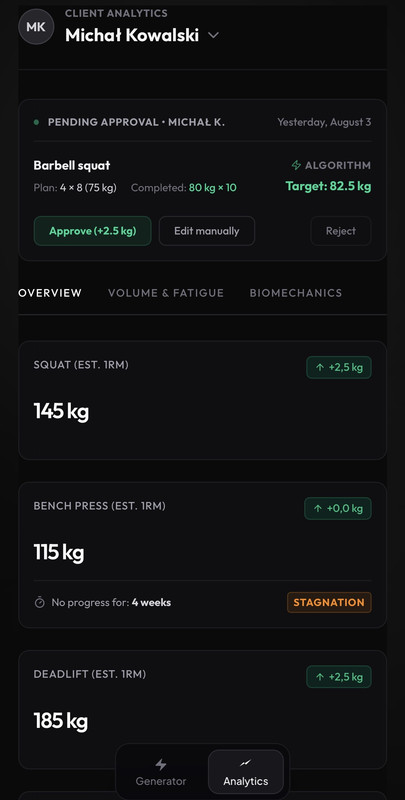
No more manual e1RM math. Based on guidelines and client history, the app instantly calculates working weights for upcoming microcycles. You simply review and approve.

/03 Data Collection

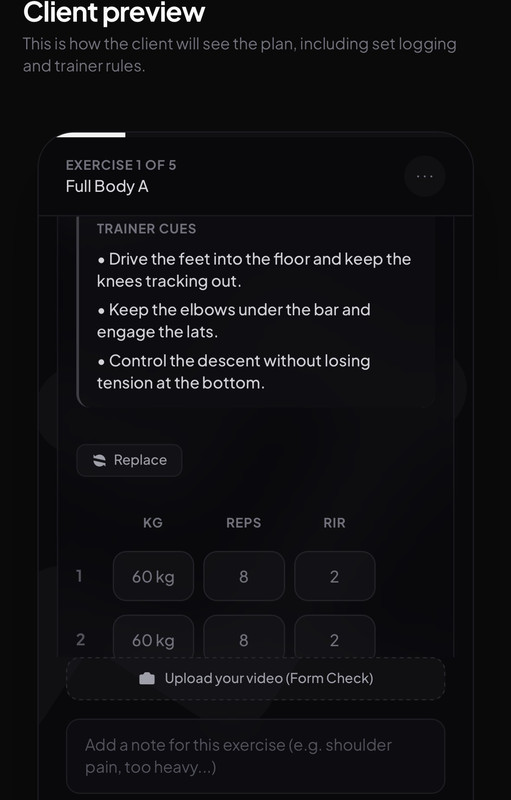
Your client gets a flawlessly designed interface. Instead of chaotic messages, the system collects precise data on volume, RPE, and joint discomfort directly from the gym floor.

The full picture of your workflow.

From variable initialization to client churn prediction. See how the Planlab environment processes data at every stage of collaboration.

/01. Input variable definition

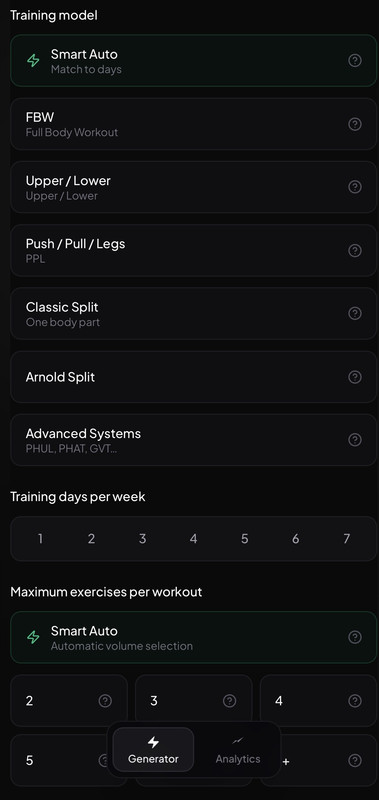
No more guesswork. Before the engine starts, you define hard rules: intensity models (RPE/RIR), progression methods, and biomechanical constraints. Then you enter client parameters—from training experience to available equipment.
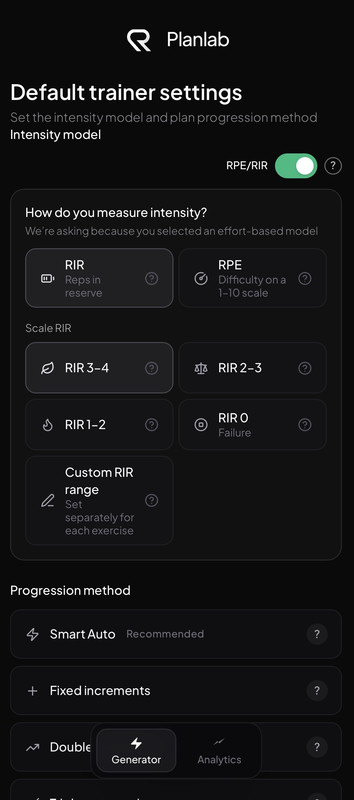
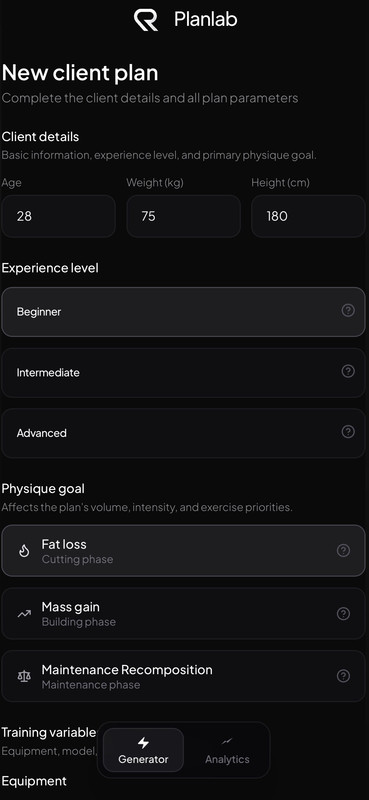
Input variable definition and client parameter screen
Progression rules and biomechanical constraints configuration screen
Input data and configuration summary screen

/02. Control, branding, and distribution

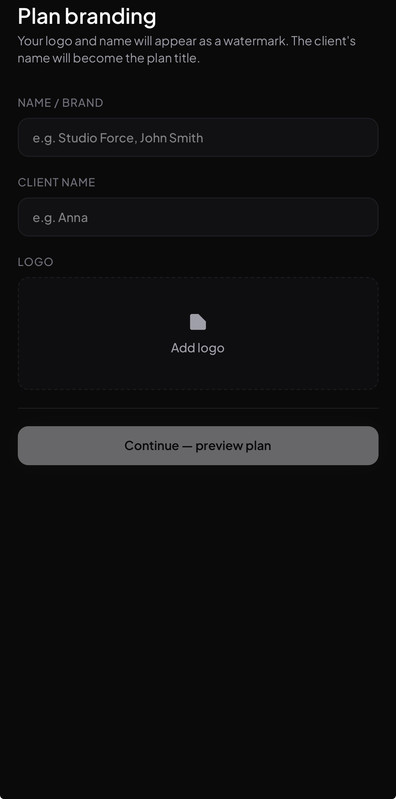
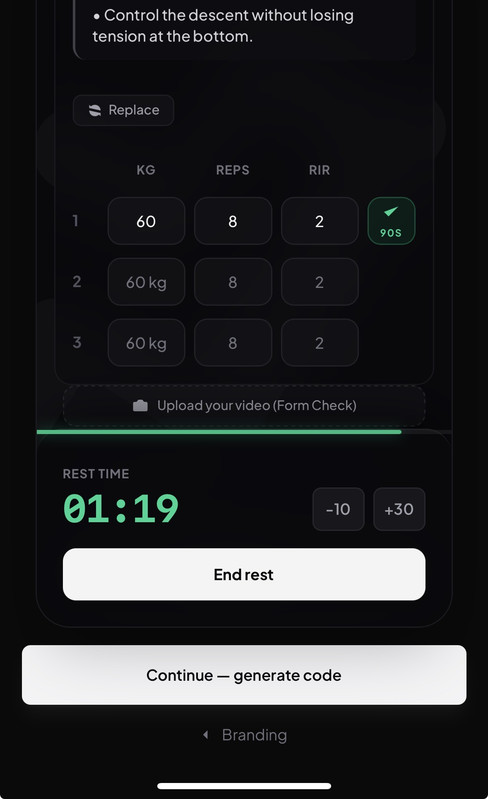
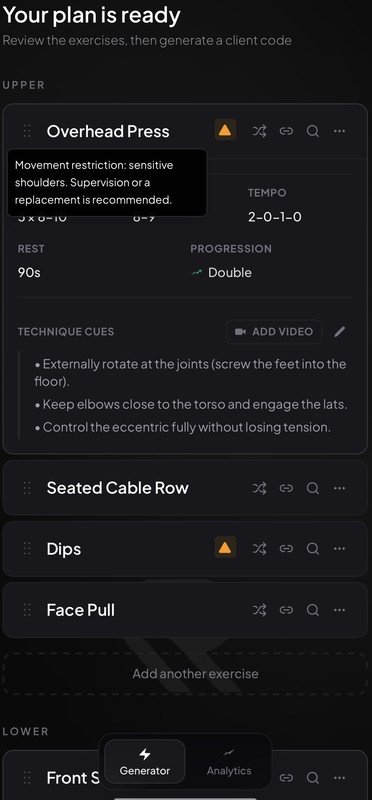
The engine suggests structure, but you make the final call. Adjust volume, verify warning flags (e.g., lumbar load), and apply your own branding. The client receives a ready-to-use code for a minimalist app where they can log sets in just 3 seconds.

Plan control and warning verification screen
Branding and personalization screen
PWA web app distribution screen
Rules configuration and distribution personalization screen
Final verification and client publishing screen

/03. Analytics and intervention

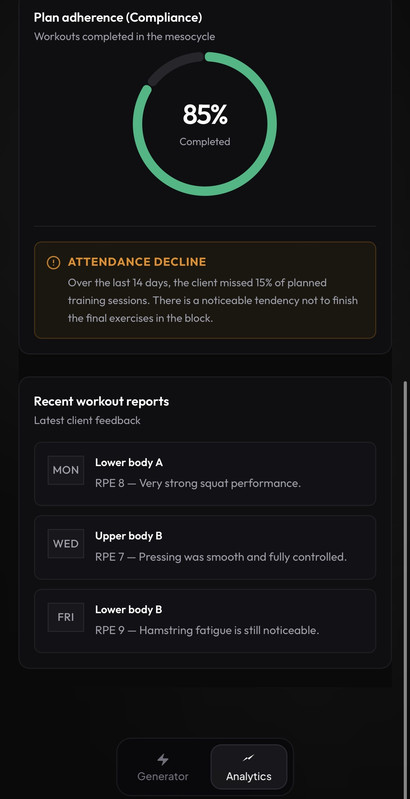
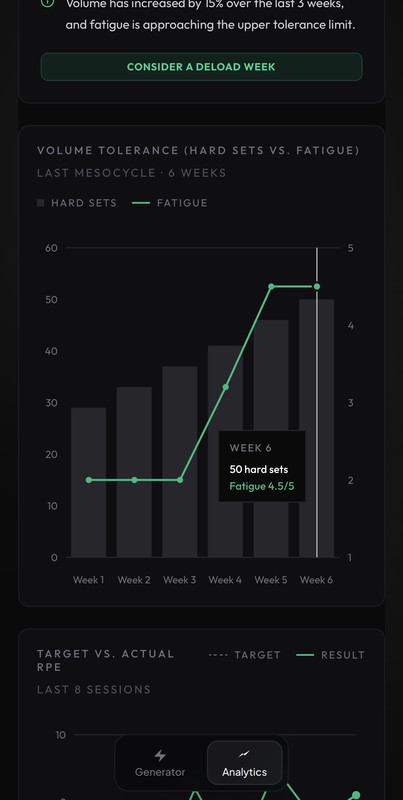
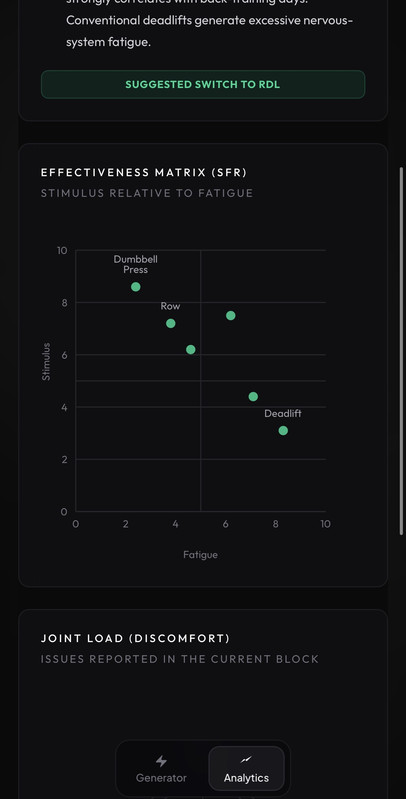
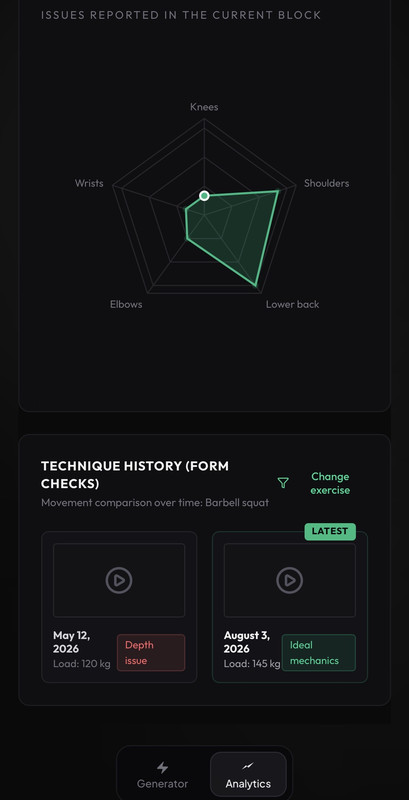
The infrastructure collects logs after every training session. Analyze the SFR matrix (Stimulus to Fatigue Ratio), monitor estimated 1RM, and respond to system alerts. If consistency drops, Planlab warns you about churn risk before the client ends collaboration.

SFR analytics and load monitoring screen
Estimated 1RM tracking and progression trend screen
Consistency alerts and churn prediction screen
Additional analytics and intervention screen
Corrective actions and intervention summary screen

SYSTEM LOGIC

The engine calculates. The expert decides.

We don’t believe in magic AI assistants. No algorithm can build a better mesocycle than an experienced coach. Planlab doesn’t try to replace you—it’s a powerful calculator that takes spreadsheet checking off your plate. The system continuously compares RPE, monitors MRV, and flags fatigue, putting hard data in front of you. Let the machine handle the math; the final decision is always yours.

ENVIRONMENT MECHANICS

The architecture of your process.

/01 INPUT CONFIGURATION

Input Variable Configuration

You define hard guardrails: intensity models (RPE/RIR), biomechanical priorities, and load progression rules. Planlab becomes a precise reflection of your methodology.

/02 CALCULATION

Calculation and Authorization

You enter client data, and the engine generates the block framework in a fraction of a second. Verify warning flags, such as lumbar load, and approve the final setup.

/03 DISTRIBUTION

White-Label PWA Ecosystem

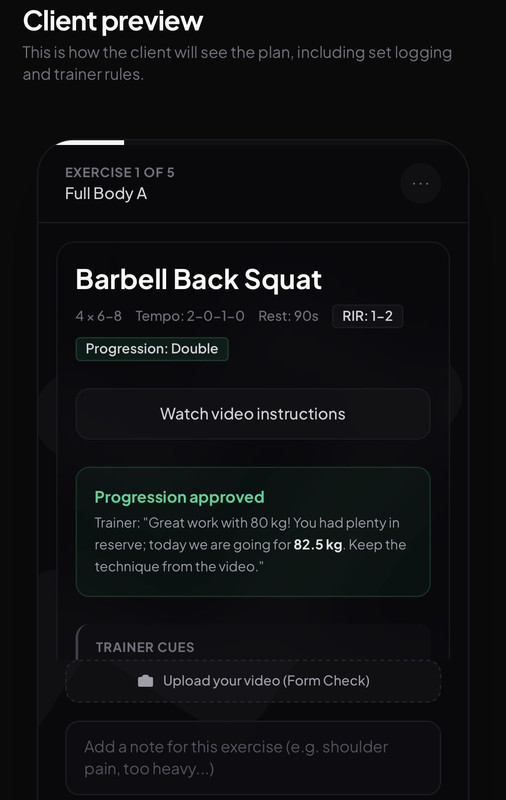
No more spreadsheet links. The client enters a code and gets access to the app under your brand. Logging sets and RPE after training takes exactly three seconds.

/04 FEEDBACK LOOP

Progression Algorithm

The infrastructure analyzes last week’s logs and uses the rules from step /01 to calculate the next microcycle’s loads. The system provides the numbers, but final approval remains yours.

LAUNCH & ACCESS

Limited early access. Pay after implementation.

Founding license

NO SUBSCRIPTION

PACKAGE /01 (20 LICENSES)

$79

$319 / year

License terms:

Reserve your license with no card required ($0).

Lifetime access without moving to a future SaaS subscription model.

Full access to the infrastructure on launch day.

Payment authorization only after you decide to implement.

Infrastructure closed.

Once the 20 founder licenses are gone, lifetime access will be permanently closed. The tool will move to a strict SaaS subscription model.

Let the machine handle the calculations. Keep full control.

An analytics infrastructure for coaches who make decisions based on data. Keep a clear view of key variables and act only on hard evidence.

An analytics infrastructure for coaches who make decisions based on data.